


Server buying guide: tips and information for your company
They protect against data loss, ensure a fast workflow and serve as a central point for data storage - of course we're talking about servers. But when or for whom is it worth using these high-end computing machines? What different ‘server types’ and possible applications are there? And what do you need to look out for when buying a server for your company? We have summarised all of this for you in our new blog post.
The server - a definition
Unlike a PC, a server is not an end device, but a powerful computer that acts as a central point of contact in the network. Clients use this as a resource - because it not only provides all functional network services (e.g. databases), but also serves as a data storage and for data backup. There are hardware-based servers (so-called "hosts") that are integrated into the network and software-based servers that run on a host. Software-based servers are programs that - depending on the type of software - provide services over a network.
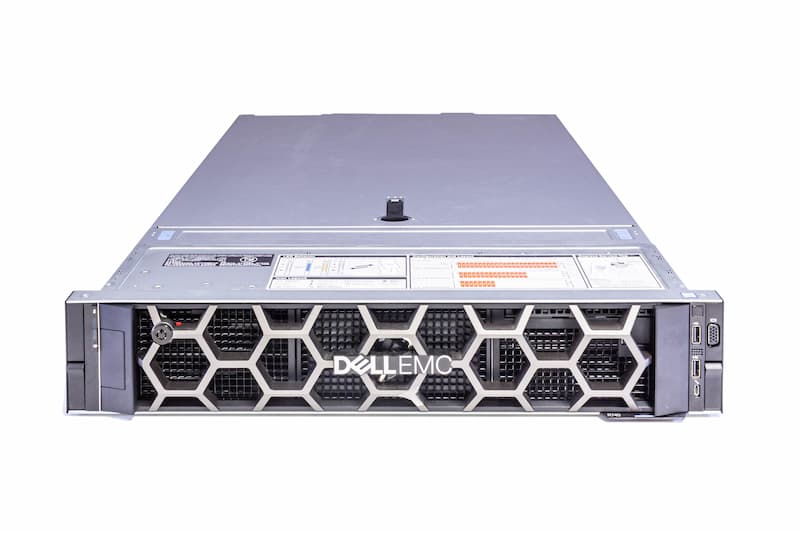
Servers cannot be compared to "normal" PCs. They are high-performance computers that require a high degree of reliability, performance and availability. A large number of users should be able to access them not only within the company network, but also from outside (e.g. field staff or employees working from home). They are also designed for continuous operation, as a server is generally not switched off. The installed components must therefore withstand a much higher load than PC or notebook parts.
These high-end components are of course much more expensive than consumer goods due to their special processing and high-quality materials. However, quality should not be compromised, especially when it comes to the "center of the IT landscape" - it is particularly worthwhile for SMEs to use used hardware from well-known manufacturers, as this is significantly cheaper than new goods.
These high-end components are of course much more expensive than consumer goods due to their special processing and high-quality materials. However, quality should not be compromised, especially when it comes to the "center of the IT landscape" - it is particularly worthwhile for SMEs to use used hardware from well-known manufacturers, as this is significantly cheaper than new goods.
Which brings us to the next point:
Is it even worthwhile for small and medium-sized companies to have their own server?
Or: when does a server ‘make sense’? In our increasingly digitalised world, it's almost impossible to avoid IT hardware - not just for small companies, but also for private individuals. The greater the digital requirements in a company, the more sensible it can be to buy your own server. Because as soon as data is to be shared in the company network or access to the network from outside is required, it is advisable to purchase a server - also in terms of data backup.
A server makes it possible to work efficiently and without interruption.The server services are provided on the basis of a client-server model.This allows end users to utilise the services independently of each other.Different applications can run on different computers (e.g. e-mail service, databases, Internet or printing services). Data jams are avoided and fast and reliable access is guaranteed. If a client (e.g. employee PC or notebook) fails, the data stored centrally on the server is not lost.
A server can also act as a backup.As there are usually several hard drives running in the system, it is possible to perform a hard drive mirroring.The data on one hard drive is transferred 1:1 to a second hard drive - the mirroring is identical at all times.If one of the two hard disks fails, the data is still retained.In terms of security, access rights can also be assigned via a server.Which client is allowed to use Internet services or which employee is authorised to view or change files? All of this can be determined via the respective authorisations on the server and contributes to data protection and data security.


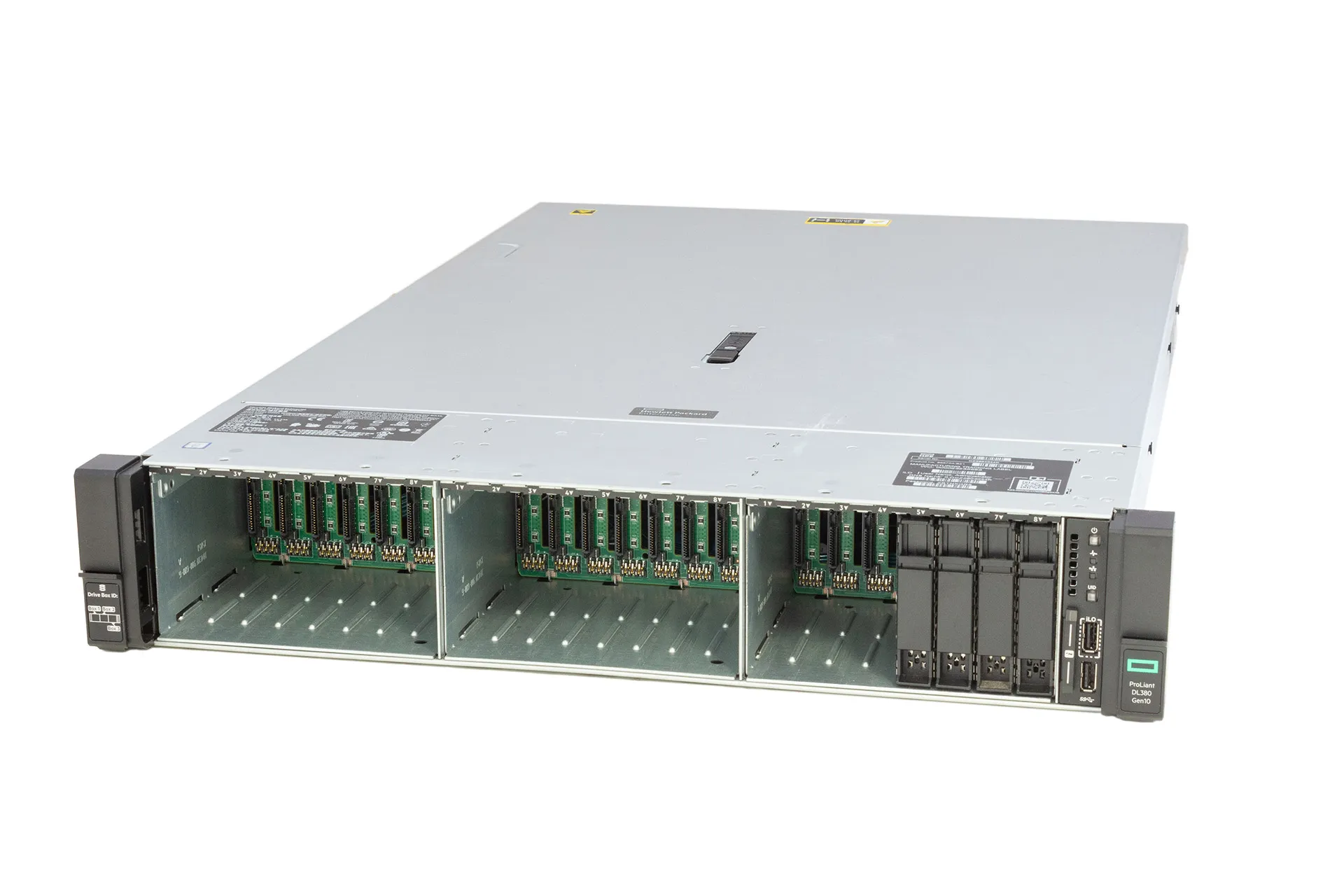


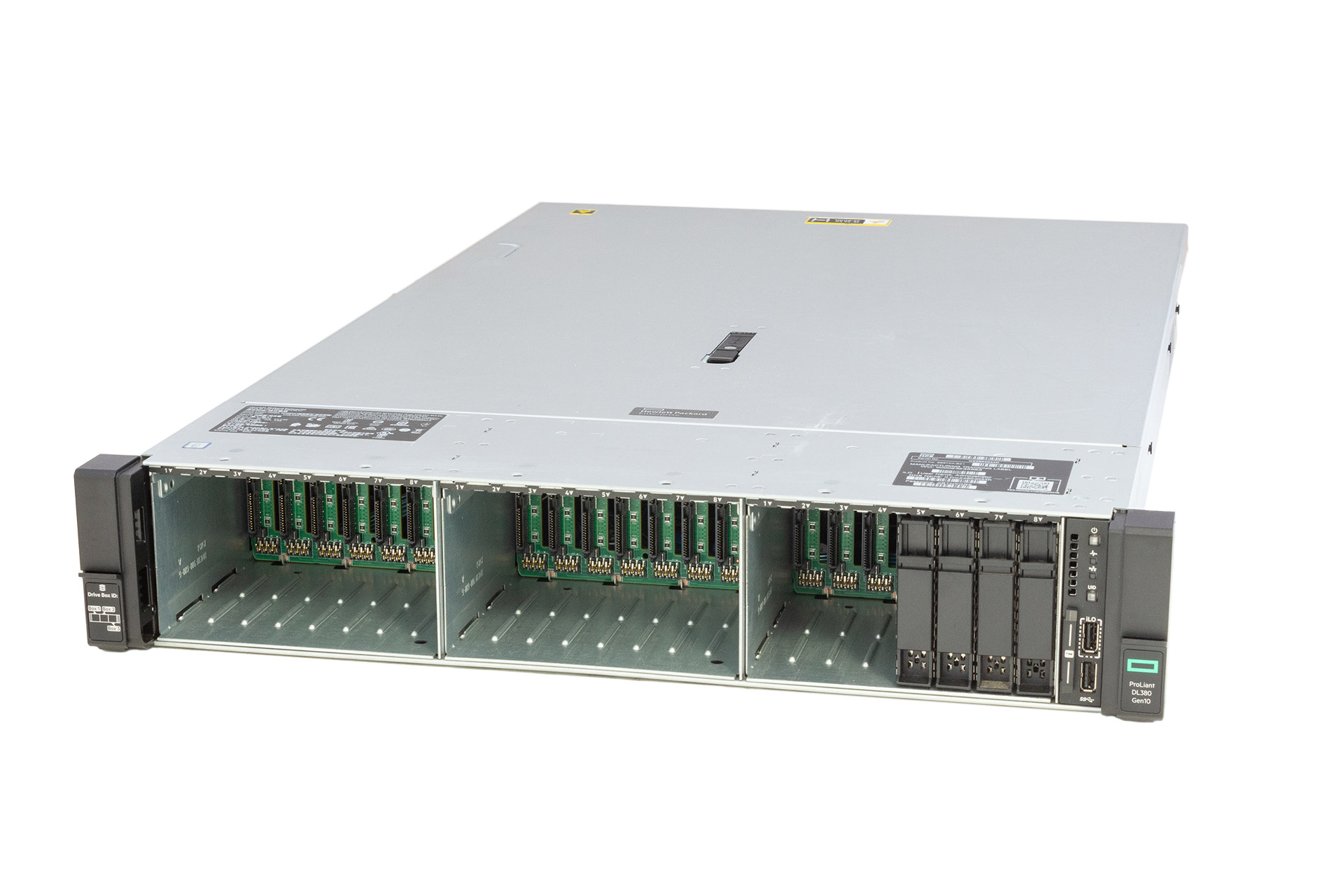

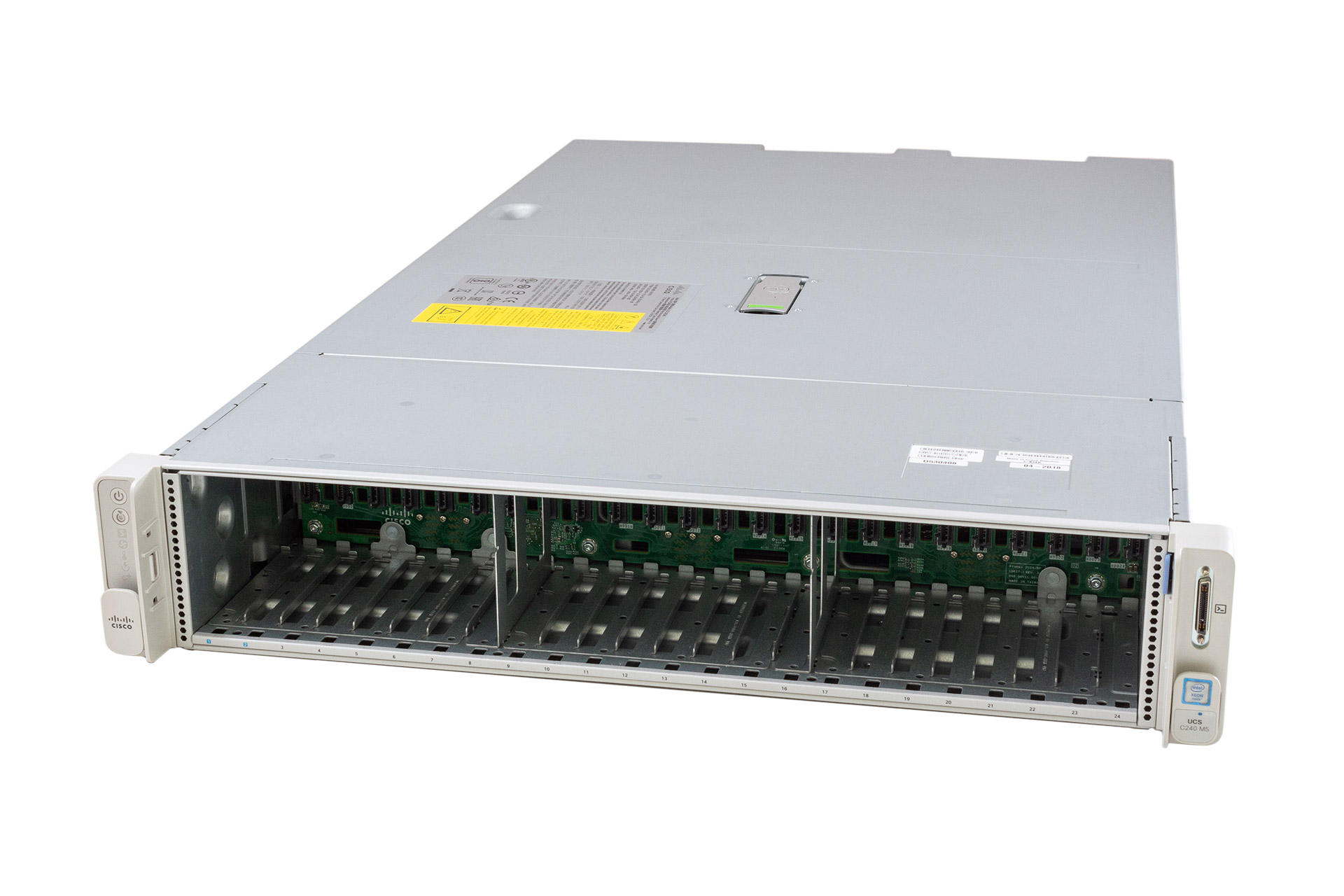


Hosting or your own server - that is the question here
Cloud server, rental server or own server? Many start-ups or companies that are taking the step towards digitalisation are faced with this question. Cloud and non-dedicated servers are virtual machines where several companies use the same hardware (‘shared hosting’). The ‘cloud server’ therefore has no physical base, but consists of a virtualised environment that is managed by a hosting provider. The big advantage of this is that the company does not have to worry about its server landscape: If more storage space is required or more server resources are needed, these can be upgraded quickly and easily - but of course the costs you pay for hosting also increase.
With a dedicated server, i.e. a device that you rent or buy, for example, you have sole access to the hardware - which means extremely high costs, but also the advantage that you have better performance.It is also possible to lease servers.These are usually very new devices, the possibilities of which (e.g. in terms of storage capacity) cannot usually be fully utilised by SMEs.Although you have the sole usage rights for the device, your requirements are far below the server's capacity - which can mean that the high costs do not match the actual usage.
Having your own internal IT landscape with one or more servers means that an internal or external IT representative must be available in the event of problems, if a network component needs to be maintained, upgraded or replaced, or if system settings need to be made.However, having your own server - not just for SMEs - can also have many advantages for a company:
- Complete own use / more power
Unlike with server hosting (shared hosting), you have sole access to the hardware - you have the greatest possible server power and best performance - the risk of overloading is lower and so is downtime. - Centre in the network
All important files and applications are stored on the server, which serves as a central point of contact in the company's own network - You decide which hardware is used
Opt for high-quality branded products and ‘main brands’ in the server industry (e.g. HPE, DELL, Lenovo & Fujitsu) - Own IP address
In the worst case scenario with shared hosting, your own website or online shop will be penalised by search engines if another hosting customer using the same server engages in illegal activities - this cannot happen with your own server and IP address - High flexibility
From the configuration to the possible uses of the server - you alone determine what and how something is used - Data backup and back-up options
Whether on a ‘small scale’ with hard disk mirroring or your own storage: build your IT landscape to be fail-safe. You also have the option of configuring your own server securely and redundantly. - Planning ahead
With your own server, you can equip yourself for the future: If you plan to grow with your company, a high degree of scalability should be a prerequisite. You can start with a cost-effective basic system and expand it as required.
Servers can not only provide a variety of different services - the environment is also important when purchasing.This means not only the premises in which the server is to be located later, but also the IT landscape into which the server will be integrated. How many users will access the server, how many (different) services will run on it and what software will be used.
If you do not have an internal IT representative who knows what type of hardware is needed for your requirements, it makes sense to seek advice from an IT system house before making a purchase.This will help you to avoid bad investments and high costs (e.g. in terms of power consumption).
We have summarised the basic information you need before buying a server in the following paragraphs.For medium-sized to large companies in particular, it is important to consider certain aspects - especially when it comes to the reliability, performance, scalability and user-friendliness of a server. But also what options you have with your own server and what different models and designs are available.
What types of servers are there?
The ‘type’ of server depends on its use and in this case does not describe the hardware or design, but the server software. The communication between server and client depends on the respective service and transmission protocol. This results in different types of servers:
- Web server
A web server is used to store and prepare websites and make them available to clients or search engine crawlers. The server exists virtually; it is not the hardware but the server software that is meant - the provision of the website is referred to as ‘hosting’. Communication between the software-based server and the client takes place via HTTP or HTTPs. - Database server
This programme enables clients to access one or more database systems. Common examples include merchandise management systems, CRM systems that provide information on customer relationships or online shop management. A computer on which the database programmes are stored can also be described as a database server. - File server
File server’ refers to the host that is used for the centralised backup of data. The main benefit for companies is that all clients can access the files simultaneously via the network. The time-consuming sending of information back and forth is therefore no longer necessary. As there are no locally changed versions that are lost or cannot be viewed by colleagues, but there are options for providing ‘previous versions’, there is a low risk of data loss. In addition, back-ups can be set up and access rights assigned, which ensures a high level of data security. A file server is based on Windows or Linux - depending on which can be better integrated into the (company) network. - Mail server
A mail server, which consists of several software modules, provides mailboxes via which e-mails can be received, sent, forwarded and made available. - DNS server
‘Domain name servers’ are used to translate a host name (such as www.serverando.de) into an IP address. This ‘name resolution’ is used to be able to call up a website on the World Wide Web. Because instead of the company, website or online shop name of the domain, we would otherwise have to search for long and unmemorable number strings of IP addresses. - Proxy server
Forwarding and receiving requests, load balancing and increasing availability, buffering and filtering data or anonymising the client IP address - a proxy server performs these tasks. It is therefore the ‘communication hub’ in the data centre. - Gaming Server
Online-based multiplayer games run via a game server. This allows all users to play synchronised games in a constantly changing virtual world. Gaming servers can run via host providers, but you can also put one together yourself, e.g. to play with a group of friends. The sandbox game ‘Minecraft’, an open-world game in which you can create constructions from cube-like elements in a three-dimensional world, is very well known for this.
Where can servers be used?
This brings us back to the server hardware - because not every server can be used in every location. The design and scalability of the computer are particularly important. The operating environment is another aspect of the purchase that should not be underestimated.
Particularly if the server is to be located directly in the office, care must be taken to ensure that it operates quietly.Otherwise, the noise of the fans can have a negative impact on employees' ability to concentrate and therefore on their ability to produce.A space-saving yet powerful system is also ideal in terms of design. HP, for example, offers so-called ‘office servers’ or ‘mini servers’ under the name ‘MicroServer’.
In warehouses or production facilities, i.e. wherever there is a ‘harsh’ working environment, it is worth using fanless servers.These are resistant to dirt and dust due to the lack of moving parts and are also completely silent. They are also characterised by a lower susceptibility to faults and - if necessary - are particularly easy to maintain.However, their extraordinary reliability and longevity are also characterised by their price.
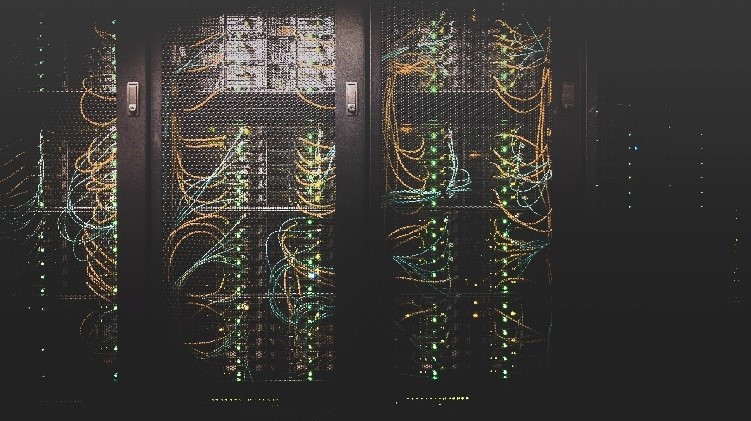
Tower vs. rack server - only the operating environment can name a ‘winner’ in this match. Tower servers, also known as standalones, are just as powerful as rack servers. For small companies or branch offices with limited space, a tower usually makes more sense as a server solution. However, if there are constantly growing requirements for internal company IT and a server room with one or more rack cabinets, a rack server offers several advantages over the tower.
This means that the compact 19’ server racks can be stowed away neatly in one place to save space.Existing IT landscapes can be expanded simply and easily, and the cabling is also less complex and ‘cleaner’.If the size of the business and therefore the requirements for your own data centre continue to grow, an additional rack can be integrated into the existing network configuration.
Blade or node servers are special servers for rack installation. These high-performance systems, which can contain several server blades or server nodes in one chassis, offer outstanding performance, power and management solutions in a very small space.
Configuration options - what's inside the server?
Once the environment has been defined, the performance requirements can be covered with the configuration of the server. This can be done quickly and easily with our online server configurator, for example, or in person via one of our sales contacts.
You can specify the following components:
- Processor
- RAM
- Hard drives (HDDs and / or SSDs)
- Power supply units
- RAID controller
- Network adapters
- Accessories (such as suitable LAN or SAS cables, optical drives, rack mounting rails and cable management arms)
As with the chassis, parts and spare parts from well-known manufacturers (e.g. Samsung, Hynix, Seagate, Western Digital, Emulex, Hitachi) should be used. It is particularly important not to use components from the consumer sector for hard drives. These are less resistant to continuous operation and the resulting extreme loads than devices and parts from the professional sector.
However, you can easily and cleverly avoid the high prices and extreme depreciation of high-end new goods by opting for reconditioned, high-quality used goods.They are characterised by the fact that they are many times cheaper than new products - what's more, they have already been used reliably, so production errors are ruled out.
Small and medium-sized companies can therefore also purchase high-quality hardware for their IT infrastructure and do not have to compromise on quality.But large companies can also benefit from second-hand goods: If, for example, a component fails in your storage or server that the manufacturer no longer supplies but is necessary for operation, the entire system does not have to be replaced straight away. As we are networked with IT dealers worldwide, we can usually supply you with the required spare part quickly and cost-effectively.
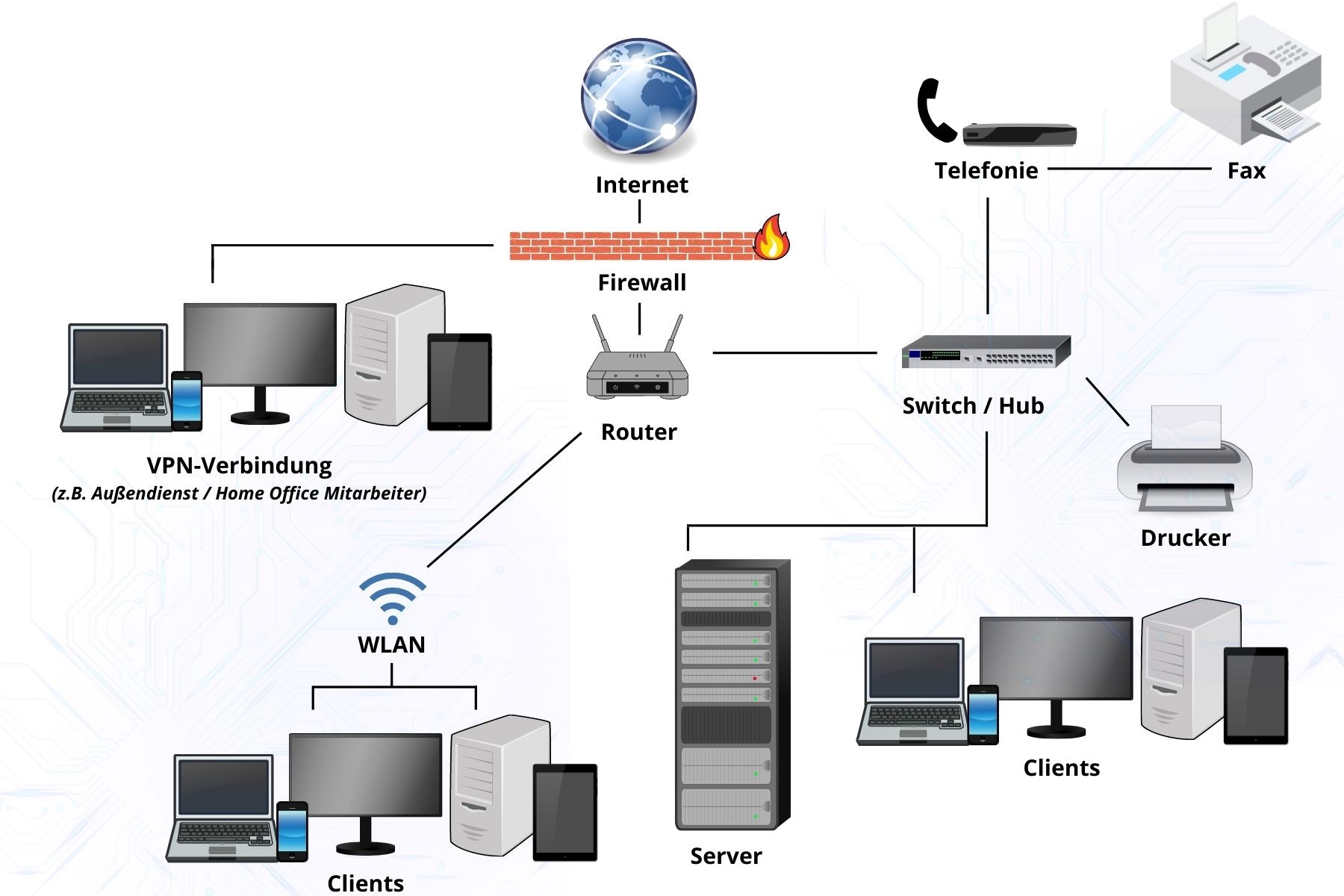
Company networks are built according to a certain basic principle. If you rely on high-quality hardware, you already minimise the risk of systems failing.But that alone is not enough.In addition to the servers, there are other important network components that all fulfil a specific task in internal IT and ensure smooth interaction between the individual points.
The firewall should come first: it separates the internal network from the World Wide Web and analyses incoming and outgoing data packets. If it recognises threats (e.g. malware or viruses) in the traffic passing through, it blocks them and stops the data being forwarded on the network. It is an important barrier for hackers and malware.
Just as important as fending off threats is the security of data in the company network. In smaller companies, this can be done via a NAS (e.g. QNAP, Synology) or a storage server. Larger companies, on the other hand, rely on SAN storage systems, e.g. from HPE, Fujitsu, Lenovo or NetApp. SAN (Storage Area Network) architectures are often used for business-critical applications where there is a high data throughput and a large number of users. The ‘dinosaurs’ among storage systems, tape libraries, are also here to stay in a world characterised by ‘big data’. They are characterised in particular by their reliability, scalability and efficiency - large volumes of data can be stored in a fail-safe manner.
You can find more information about data security and data protection in our previous blog posts:
Think future-orientated when buying a server
Your company network should be prepared for future threats, so you need to ensure adequate security and functioning backup solutions. When purchasing a server, you should pay particular attention to whether there are expansion options - after all, your company should grow.
Assume a high degree of scalability - as your company grows, the demands on your internal network increase and so do the performance requirements for the server(s).Memory, hard disks and processors should therefore be easy to expand to ensure that your IT infrastructure runs smoothly and quickly.
Density-optimised servers, for example, make the most efficient use of the limited space in the server room and help to keep power supply and cooling costs low.If there are capacity bottlenecks, they can be easily expanded and quickly made available.
But it's not only worth thinking ahead when it comes to hardware: If, contrary to expectations, a server should fail, you can protect yourself with optional warranty extensions.There are three options to choose from in our shop (to be found under ‘Service’):
Next Business Day Service
If a server or component fails, a technician will come to your premises the next working day to replace the defective part or the entire device.
24/7 service (4h response time)
Here you will receive competent help 24 hours a day, 7 days a week - i.e. around the clock - in the event of a problem. The response time of the service partner is only 4 hours.
PickUp and Return
With the PickUp and Return Service, the defective server is collected, repaired or replaced and returned to you in perfect condition.
With these options, you can protect your server systems for up to 5 years - not only practical, but also saving time and money.
More sustainability with ‘Green IT’
An important side effect that is becoming more and more important: By buying used hardware, you not only save money, but also make an important contribution to environmental protection. Important raw materials and resources are consumed in the production of a server - this increases CO2 emissions and therefore also the greenhouse gases that cause climate change.
Don't just think about the future within your company, but also about our next generations.We are responsible today for the world they will live in later.
You can find more blog posts about buying used servers here:

Green, green, green
... why used IT is more sustainable.

Server-Sizing
Which configuration fits my rack server?
Server-Parts
What's inside the server? Here is an overview