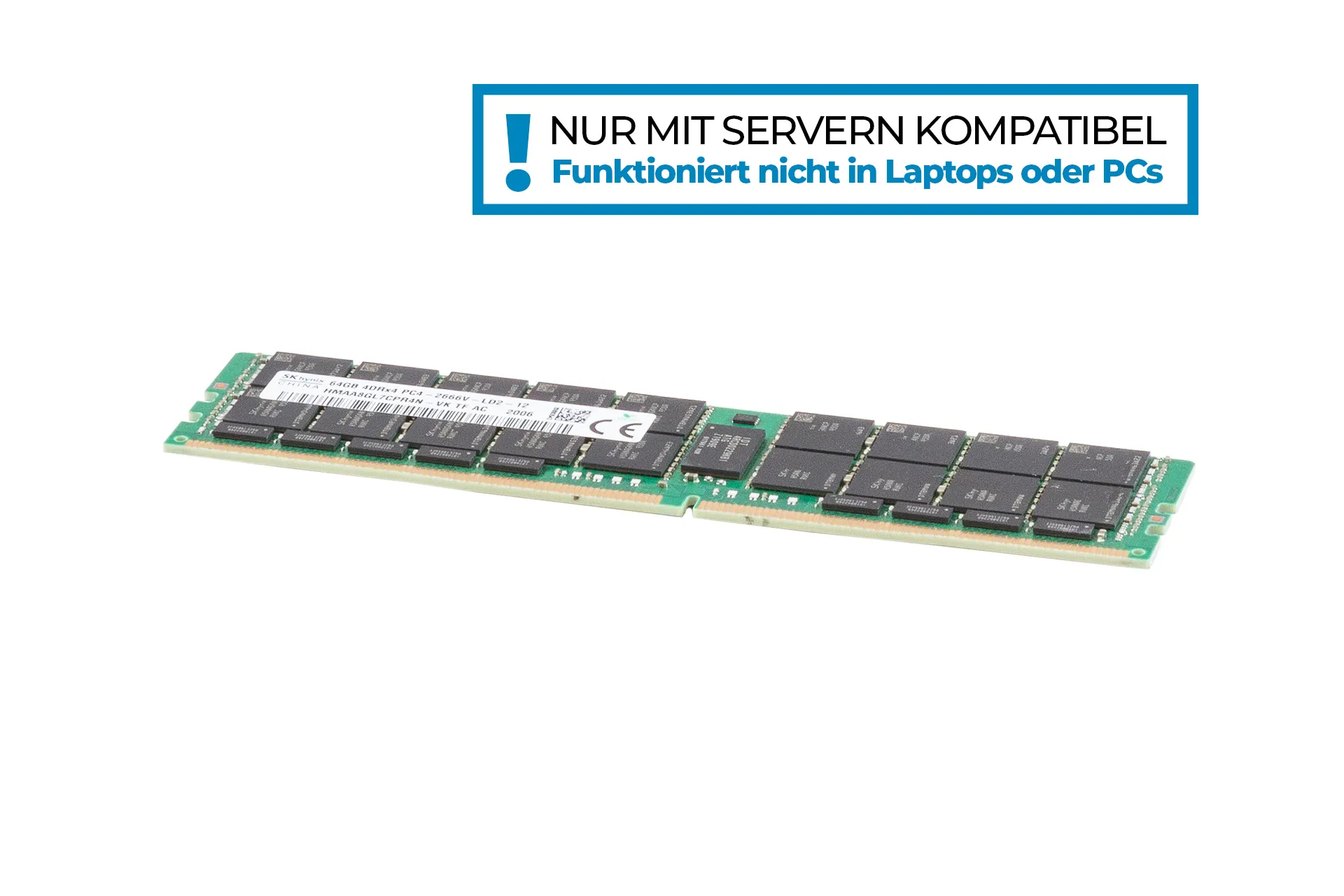
SAMSUNG 32GB DDR4 RAM 2Rx4 PC4-2400T regECC



Refurbished Samsung 32 GB DDR4 RAM – cost-effective memory upgrade for your server
When servers respond more slowly in everyday use, virtual machines reach their limits or applications require more resources, the problem is often related to the memory. A targeted RAM upgrade can provide a quick and effective solution – without the need for a costly new system. Refurbished server memory modules can be used to increase the performance of existing hardware in a sustainable and budget-friendly way.
The Samsung 32 GB DDR4 Registered ECC module (M393A4K40BB1-CRC0Q) is designed for professional continuous use and offers high operational reliability thanks to its RDIMM architecture and ECC error correction. DDR4 technology with 2400 MHz ensures solid data processing speed, while the energy-efficient 1.2-volt design keeps power consumption low. Samsung modules are known worldwide for their durability and stability – an ideal choice for companies looking to improve their server performance in a targeted manner.
Professional refurbishment and functional testing ensure that you receive a technically flawless module that reliably provides your server with new performance reserves while conserving resources.
Product features
- Server memory module (RDIMM) / not suitable for PC use
- Manufacturer no.: M393A4K40BB1-CRC0Q
- Capacity: 32 GB
- Memory type: DDR4 RAM
- Standard: PC4-2400T-R
- Memory speed: 2400 MHz
- Design: 288-pin DIMM, registered DIMM
- Rank structure: 2Rx4 (dual rank)
- Error correction: ECC
- Voltage: 1.2 V
- CAS latency: CL17
Product highlights
| → | Solid 32 GB module for virtualisation, data processing and productive workloads |
| → | Registered ECC for maximum stability and reliable error correction |
| → | DDR4 technology with 1.2 V for energy-efficient continuous operation |
| → | Ideal for enterprise servers, VM hosts and memory-intensive applications |
| → | Brand quality from Samsung – durable, robust and proven worldwide |
| → | Refurbished to the highest standard: tested, reliable and ready for immediate use |
| ✓ | When purchasing your server parts and spare parts, opt for refurbished hardware. We have thoroughly tested it – in other words, cleaned, tested and professionally reconditioned it. The high-quality devices and components from renowned manufacturers are also affordable for SMEs on the second-hand market. Expand your IT landscape cleverly and cost-effectively with second-hand servers and spare parts. Good for your wallet and our environment. |
| Manufacturer/Brand: | Samsung |
|---|---|
| Manufacturer no: | M393A4K40BB1-CRC0Q |
| Weight: | 0.02 kg |
| Compatible with: | Server |
| Condition: | Used & refurbished |
| Data line: | x4 |
| Error correction: | registered DIMM, ECC |
| Form factor: | 288 Pin |
| Memory banks: | Dual Rank |
| Memory capacity: | 32GB |
| Module: | PC4-2400T |
| RAM generation: | DDR4 |
| Scope of delivery: | 1x RAM module as described |
| Transfer rate in Mb/s: | 19200 |
Samsung
Name: Samsung Electronics GmbH
Anschrift: Frankfurter Straße 2, 65760 Eschborn, Deutschland
Telefon: 06196 77 555 77
E-Mail-Adresse: kundenbetreuung@samsung.de
Security adviceElectrostatic discharge (ESD):
Wear a grounding wrist strap or touch a grounded metal surface when handling RAM to prevent damage from electrostatic discharge.
Protection against moisture:
Keep liquids away from RAM modules and slots to avoid short circuits or corrosion.
Temperature protection and ventilation:
Ensure that the system is well ventilated to prevent the components from overheating.
Electrical safety:
Disconnect all power sources from the device before installing or removing memory modules.
Cleaning and maintenance:
If possible, maintenance work should be carried out by trained specialists. Check the modules regularly for damage or loose connections. Start the system and check whether the new RAM is recognised by the system and is working properly. Clean the inside of the system regularly to avoid dust accumulation that could affect the memory modules. Carefully remove dust and dirt from the RAM slots using compressed air or a soft brush. Do not use any liquids or chemical cleaning agents for cleaning.
Assembly and disassembly:
Insert the RAM into the correct slot and ensure that it is fully engaged. Use minimal pressure to remove memory modules from their sockets to avoid damage.
Handling:
Only hold the RAM by the edges to avoid touching or soiling the contacts. Do not exert excessive force on the card or the connectors. Do not drop the RAM or place heavy objects on it.
Transport and storage:
Store RAM modules in antistatic packaging and protect them from strong temperature fluctuations, moisture and physical stress.
Statutory warranty
All goods are covered by the statutory warranty of at least two years under EU law.


Personal customer service
Fast & reliable
.svg "Zertifizierter Shop")
Certified shop
Trusted Shops
.svg "Garantieverlängerung")
Extended warranty
Up to 60 months possible
.svg "sichere Bezahlung")
Secure payment
with PayPal
Ähnliche Artikel

Available, delivery time 1-3 days


Available, delivery time 1-3 days





Available, delivery time 1-3 days
Available, delivery time 1-3 days


Available, delivery time 1-3 days